When to Replace a Zebra GK420d Platen Roller
Slipping, sticking and uneven prints have several causes. Zebra directs users to clean first and replace only if the problem persists, then to order the 203 dpi roller by its current part number.
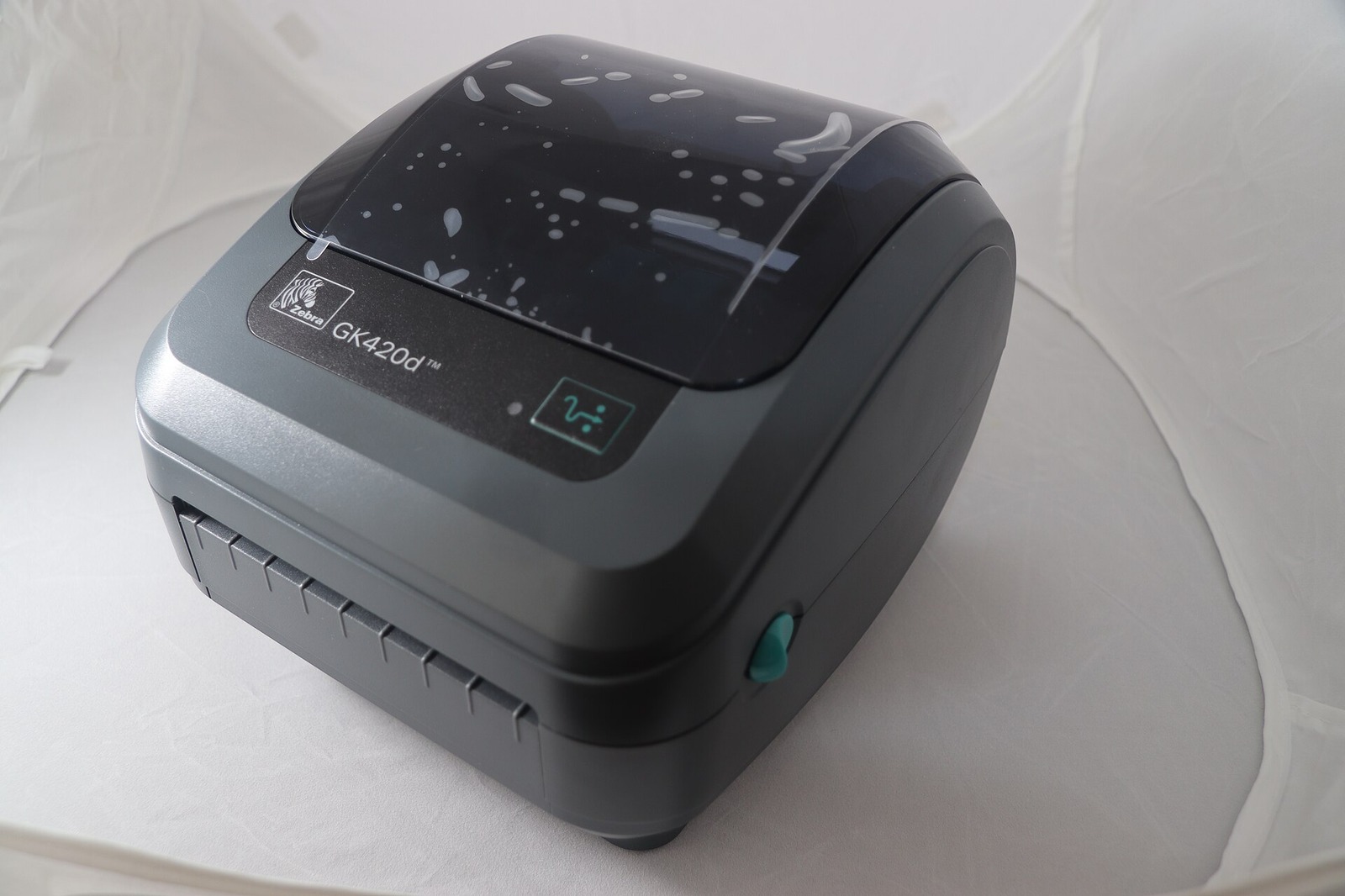
Disclosure: We may earn a commission if you purchase through links on this page, at no additional cost to you.
A GK420d that starts slipping, sticking, or printing unevenly may need a platen roller, but those symptoms do not prove that the roller is worn. Zebra's troubleshooting guidance says to clean the platen and media path first; if sticking or jamming continues after cleaning, replace the platen. The roller is both the print surface and the drive surface for the label stock, so adhesive, oil, dirt, or a damaged surface can affect feeding and print quality.
For the direct-thermal GK420d, Zebra's desktop accessories guide lists the 203 dpi platen roller as part P1027135-039. Some older and marketplace listings use 105934-034. A distributor says Zebra discontinued 105934-034 and replaced it with P1027135-039, but an Alibaba listing that uses "105934" in its title is not thereby proven to be an OEM part or a validated equivalent. Match the printer, part reference, and kit contents before ordering.
First decide whether the roller is actually the problem
The platen is the rubber drive roller directly under the printhead. As the printer feeds, the roller pulls media through the print path and provides the surface against which the printhead presses. If a label will not advance consistently, slips, sticks, or shows a repeated mark at the same position, the platen deserves inspection. But the same symptoms can also come from adhesive on the roller, a jammed label fragment, a dirty printhead, incorrect media settings, or a sensor that has not been calibrated for the stock.
A useful diagnostic order is: confirm the label stock and settings, remove any jammed scraps, clean the printhead and media path as the user guide directs, clean the platen, let it dry, and run a short test. Replace the roller only if the problem persists or inspection shows physical damage. That sequence saves a buyer from ordering a part to fix a software, media, or contamination problem.
Watch for a rubber surface that is cut, cracked, flattened, hardened, glossy from wear, or contaminated by adhesive that does not come off with the approved cleaning procedure. Check the full circumference by rotating the roller after removing it. A single damaged band can create a recurring feed or print defect even if the rest of the roller looks normal. Zebra warns that platen contaminants can damage the printhead or make media slip or stick.
Community reports help identify the words users use when diagnosing a problem: labels that "spin," lines across prints, skew, or intermittent feed. They are useful symptoms to investigate, not a parts diagnosis. One recent GK420d discussion attributes a grinding or spinning sound to possible platen slippage, while Zebra's own guide gives the safer basis for action: clean first, replace if sticking or jamming persists.
Identify the exact printer and part reference
The GK420d is a direct-thermal printer. Zebra lists the roller for that model as P1027135-039, 203 dpi. Confirm the model from the label on the underside or rear of the printer rather than relying on a nearby printer's appearance. GK420d, GK420t, GX420d, GX420t, GK430d, and other members of the G-series can look similar but do not all use the same platen. The thermal-transfer GK420t has a different roller reference in Zebra's parts guide.
This is especially important when a supplier title lists several printer families together. The text "GK420D / GX420D / GK430D / ZP450 / ZP500 / ZP505 / ZP550" is a seller's compatibility statement. It does not tell you whether the listing is selling P1027135-039, the older 105934-034 item, a compatible aftermarket roller, or a kit with additional bearings. Ask the seller to state the exact part number that will ship and the printer models that number fits.
Part-number cross-check
| Reference | What the source says | What to do |
|---|---|---|
| P1027135-039 | Zebra accessory guide lists it as the GK420d 203 dpi platen roller | Use this as the current manufacturer reference for a GK420d direct-thermal order |
| 105934-034 | Distributor product pages list it for GK420d and GX420d; one distributor marks it discontinued and superseded by P1027135-039 | Treat as an older reference; ask the seller to confirm the exact replacement relationship |
| "105934" in an Alibaba title | The indexed listing claims compatibility with several Zebra G-series printers and shows a platen roller kit | Marketplace title only; request photos, exact part number, included pieces, and written model fit |
The important distinction is identity. A listing can name the correct printer family and still offer a part that is the wrong revision, wrong material, missing bearings, or not the item shown in the photo. If the machine has a service history or a previous repair, check the installed part number before ordering a cross-reference. Keep a photo of the printer model plate and the old roller beside the purchase record.
A clear request for quotation can be short: "Zebra GK420d, direct thermal, 203 dpi; please quote platen roller for OEM reference P1027135-039. State whether the roller is Zebra OEM or third-party compatible, give the exact shipped part number, list included bearings, and confirm return terms if it does not fit." Attach a photo of the machine's model label and the removed roller. This gives the supplier a specific identity to answer and leaves a written record if the listing's broad compatibility title conflicts with the selected SKU.
How to clean the platen before replacing it
Zebra says routine cleaning is not normally required just because paper or liner dust has accumulated. Clean the platen and media path when printer performance, print quality, or media handling has become significantly worse, or when adhesive, dirt, oil, or other contamination is present. The GK420d user guide specifies a fibre-free swab or a clean, lint-free cloth lightly moistened with medical-grade alcohol of at least 90% purity. Follow the manual rather than substituting an unapproved solvent or abrasive.
With the printer powered down and media removed, open the cover and access the platen area as described in the manual. Release the retaining tabs on both sides, rotate them up, and lift the roller from the lower frame. Clean from the centre outward, rotating the roller to reach the full surface. For heavy adhesive or residue from a label jam, Zebra directs users to repeat with a fresh swab; the first pass may thin adhesive without removing it completely.
Before reinstalling, make sure the roller is dry. Zebra says to allow it to dry for one minute before closing the dispenser door or media cover or loading labels. Confirm the bearings are on the shaft, orient the gear to the left, lower the platen into the frame, then return the tabs until they snap into place. These details matter: a roller installed with a bearing out of position or the gear on the wrong side may not turn correctly.
After cleaning, reload the same known-good label stock, verify that the driver label size and media type match, and print several test labels. If the feed is now smooth and the print defect is gone, replacement was unnecessary. If sticking or jamming remains after proper cleaning, or the roller has visible surface damage, move to replacement. Zebra's documentation does not give a fixed calendar replacement interval, so do not treat a generic "replace every X labels" claim as a GK420d requirement.
What the replacement kit should include
Do not compare offers by the word "kit" alone. Ask whether the price covers the rubber roller only, the roller with bearings, or additional clips or accessories. Zebra's G-Series parts catalogue lists the platen and platen bearings as separate service parts; a reseller may sell them separately or as a kit. A compatible listing's photo may show parts that are not included in the selected option. Confirm the contents in writing and check the final invoice against the selected variant.
For a replacement compatible part, request: the manufacturer or seller's exact part number; model fit for GK420d direct thermal; whether it is new, refurbished, or used; whether bearings are included; and a photo of the delivered item beside its label. If the machine is used for high-volume shipping, ask about return terms for a part that does not fit or causes feed defects. Do not assume "OEM quality," "original," or "same as Zebra" from title wording alone.
A genuine Zebra part and a third-party compatible roller are different buying decisions. If you need traceable OEM supply, purchase through an authorised Zebra channel and ask for the OEM part number on the order. If you are considering a lower-cost compatible part, treat it as a candidate to inspect and test, not an automatically equivalent component. Check the roller surface for cuts, voids, uneven moulding, or bearing fit before installing it.
A short replacement and acceptance check
Use Zebra's model-specific procedure; its support page links a platen replacement video for the GK420d family. Before starting, save your printer settings or configuration label, disconnect power, remove the media, and allow the printhead and surrounding components to cool if the printer was recently operating. Keep tools and debris away from the printhead.
After removing the old roller, compare the old and new parts before installation. Check the shaft ends, gear position, bearings, and overall width. If the replacement looks different, stop and confirm the part reference instead of forcing it into the frame. Install the roller with the bearings in position and gear to the left, then close the retaining tabs. Reload labels and print a configuration or test label.
Accept the repair only after the printer feeds multiple labels without slipping, sticking, or skewing and the repeated print defect is gone. Test the same label format and media type that exposed the fault. If the symptom remains, do not keep buying rollers at random: check the printhead condition, sensor calibration, label stock, guides, driver settings, and the printer's service status. Zebra notes that the GK420d is no longer sold and that support is not available after its discontinuation date; it directs users who need service to an authorised service provider.
Equipvia may earn a commission from qualifying purchases through this link. The link resolved to Product ID 1601853499806 during review. CPS resolution does not verify that the part is genuine Zebra, that it matches P1027135-039, affiliate eligibility, or commission attribution. Check the actual selected variant and current terms before ordering.
The listing's identity and detailed specifications could not be independently checked during review, and a broad compatibility title does not prove that every named model shares the selected SKU. Ask whether the item is the older 105934-034 reference, the current P1027135-039 reference, or a third-party substitute, and request a photo of the exact option including any bearings.
The decision in one minute
If the GK420d feeds labels smoothly and prints cleanly, there is no reason to replace the platen as preventive maintenance. If labels slip or stick, clean the roller and media path using Zebra's stated method, then test again. Persistent sticking or jamming after cleaning, or visible roller damage, supports replacement. For the GK420d direct-thermal model, Zebra lists P1027135-039 as the 203 dpi platen roller; treat 105934-034 as an older reference and verify any marketplace cross-reference. Confirm kit contents, test the repair with the original stock and settings, and do not call a generic seller listing OEM without evidence.
A small service note makes the next repair easier: record the GK420d model, part number removed, supplier, whether bearings were included, installation date, and the symptom that justified replacement. That record helps distinguish a true roller failure from a recurring label-stock or calibration issue, and gives you a much better basis for the next spare-parts purchase.
Share this article