How to Choose a Replacement Fan for a UPS
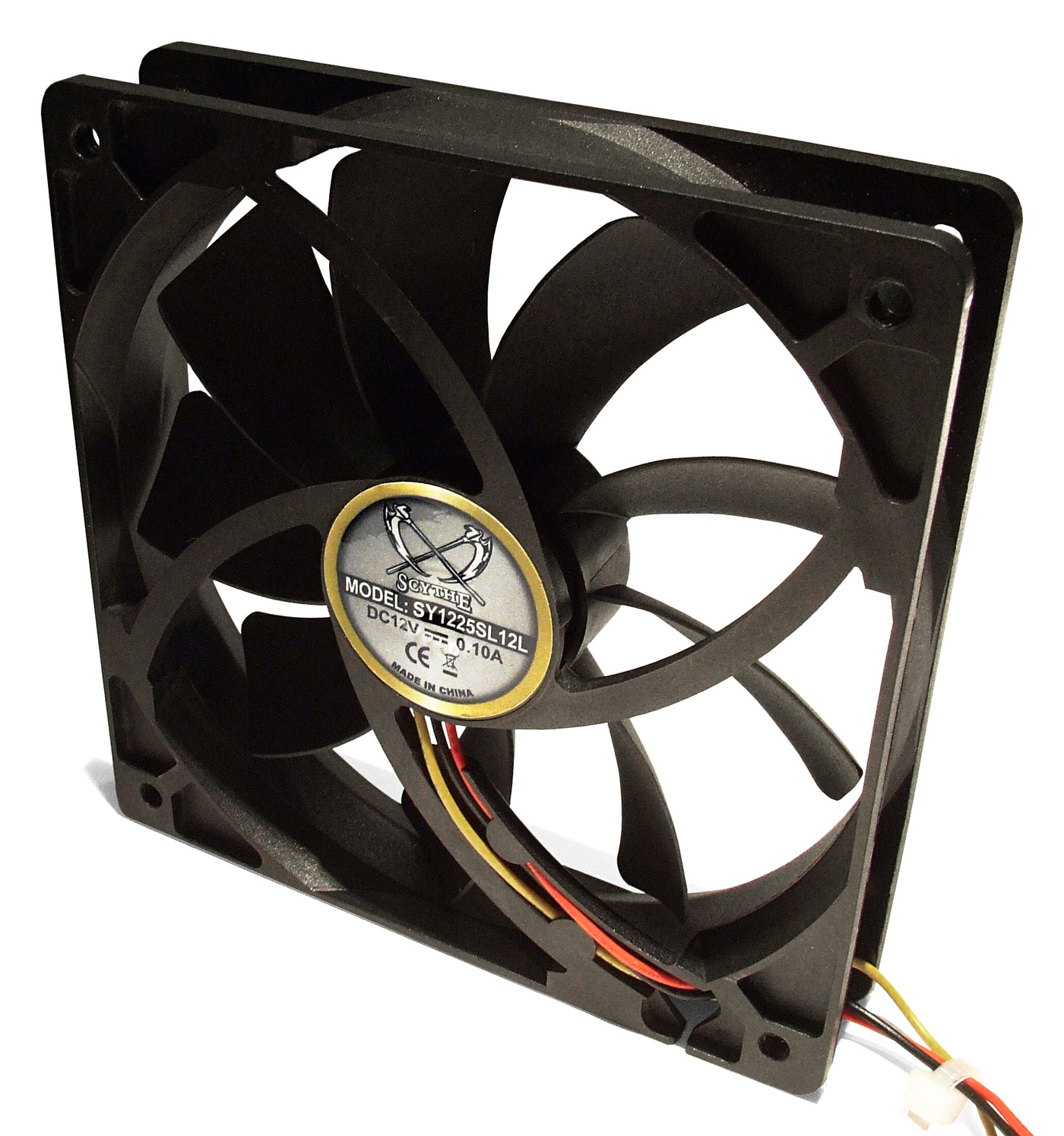
Frame size is the least informative number on a fan. Two 80 mm variants of the same family can differ in lead count and tach output, and a fan fault is often a signal problem.
Disclosure: We may earn a commission if you purchase through links on this page, at no additional cost to you.
A UPS fan is a small part with a system-level job. It moves heat away from components whose temperature affects the unit's operation, and some UPS models monitor fan speed or change fan speed as load, temperature, charging, and operating mode change. A replacement that fits the cutout can still run at the wrong voltage, move too little air through the installed path, draw more current than the fan circuit supports, or fail the UPS's monitoring check. Start with the exact UPS model and the full fan part number, then match the electrical, mechanical, airflow, control, and service requirements. If the UPS manual marks the fan assembly as a service part, use the manufacturer or a qualified service provider instead of treating it like a computer case fan.
Find the UPS model and the fan location first
Record the complete UPS model, product code, hardware revision, and serial range from its nameplate. Then look up the current manual, service bulletin, and parts list for that exact family. A front-panel fan assembly, an internal inverter fan, a battery-charger fan, and a cabinet fan may serve different air paths even when they look alike. Eaton notes that UPS fans can sit in different positions because they cool different components; a replacement recommendation depends on the specific model and fan type.
Read the full label on the removed fan, only when the manual allows access
If the fan is user-replaceable under the UPS manual, photograph its label before ordering. Capture the complete manufacturer and model code, including letters, suffixes, and revision marks. A partial code such as "8025" only describes a rough frame size. It does not identify voltage, speed, bearing, lead count, control method, or a fan's pressure performance. The safest path is the exact OEM part number or an explicitly cross-referenced replacement approved for the UPS model. If the label is hidden behind a service cover, do not open an energised or sealed UPS just to read it. Follow the manufacturer's service instructions.
Why the last letters in a fan model matter
A fan family can contain variants with the same frame dimensions and rated voltage but different wires or monitoring features. Delta's published AFB0812H listings illustrate the point: an AFB0812H entry lists an 80 × 80 × 25.4 mm, 12 VDC, 3000 RPM fan with two lead wires, while the AFB0812H-F00 entry lists three lead wires and a speed-sensor (tach) feature. The manufacturer page gives airflow and static-pressure figures for the listed variant as well. These are examples of two catalogue entries, not a claim that either is suitable for a particular UPS. Match the complete order code and its datasheet, not a shortened family name.
| Catalogue entry | Frame / supply | Lead / signal | What the page states |
|---|---|---|---|
| Delta AFB0812H | 80 × 80 × 25.4 mm; 12 VDC | 2 lead wires; no tach feature listed | 3000 RPM; 35.31 CFM; 0.159 inH₂O; 0.16 A |
| Delta AFB0812H-F00 | 80 × 80 × 25.4 mm; 12 VDC | 3 lead wires; tach feature listed | Same dimensions and core airflow figures on the product entry; verify exact datasheet and order code |
The entries are manufacturer catalogue examples, not UPS compatibility approvals. Compare the selected order code with the original part and UPS documentation.
Check the dimensions and mounting before comparing performance
Measure the installed opening and the original fan's frame width, height, depth, mounting-hole spacing, screw size, and any gasket or shroud. An 80 mm square fan can be 10, 15, 25, or 38 mm deep; those versions are not interchangeable if the enclosure clearance or airflow path depends on the depth. Confirm whether the UPS uses a bare fan, a bracket, a pull-out tray, a filter, or a proprietary keyed housing. Check that the fan's intake and exhaust face the same directions as the original. A physically compatible replacement must sit flat, clear nearby wires, and seal against the intended duct or panel without being forced.
Match the electrical supply and startup behaviour
Use the UPS parts list or original fan label to identify rated voltage, operating voltage range, current, and polarity. Do not substitute a 24 V fan for a 12 V part, or use a converter or improvised wiring to make the connector fit unless the UPS manufacturer specifies that configuration. A higher current label is not automatically safe: the UPS fan output and wiring have their own limits, and startup current can differ from running current. Confirm the number of conductors and pinout from the fan datasheet or approved replacement document. Wire colours are not a reliable pinout standard across manufacturers. If the original part number is unreadable, ask the OEM or an authorised service provider to identify the correct fan from the UPS model and serial number.
Airflow is more than a free-air CFM number
A catalogue's maximum airflow is usually measured with little or no restriction. A UPS routes air through grills, filters, heat sinks, internal channels, and sometimes a narrow fan tray. Resistance in that path changes the operating point, so a free-air CFM figure by itself does not establish how much air will pass through the installed UPS. Compare the manufacturer's fan curve or static-pressure rating at the required operating point, when that information is available. Match the direction of flow and the original fan's intended pressure duty. A slower, quieter computer fan can move less air against resistance even if it has the same frame size. For a proprietary assembly or a high-load system, ask the UPS manufacturer for the approved part rather than estimating cooling from a product title.
Match speed feedback and control signals
Some UPS units simply power a fan; others monitor a tachometer signal, use PWM control, or detect fan failure through a model-specific circuit. A fan with the wrong lead count, pulse output, pinout, or control response can trigger a fan fault even when its blades turn. Eaton's field-replacement procedure includes checking tachometer monitoring where applicable, which shows why "it spins" is not a complete acceptance test.
Do not use noise as the only selection target
A loud fan can be worn, but fan sound alone does not prove that the fan is defective or that a quieter model is a safe replacement. Schneider Electric says fan operation varies by Smart-UPS family and firmware: some families run fans only under specified conditions, others run continuously, and some vary speed with temperature, mode, and load. Its support page also notes that the expected behaviour can vary by model and firmware revision. Confirm the correct operating behaviour before buying; do not slow a fan or defeat an alarm to silence it.
Decide whether the job is owner-serviceable
The replacement method is model-specific. A Tripp Lite UPS manual provides one clear example: it warns that the fan circuitry is not isolated from AC mains, calls for power to be turned off, and says fan replacement must be performed by qualified electrical service personnel. That warning belongs to the covered model family, but it demonstrates why a generic online video is not a substitute for the manual for your UPS. Larger UPS systems may require a controlled transfer to maintenance bypass, approval for taking a module offline, lockout procedures, and functional checks after service. Eaton's field procedure documents those steps for its applicable systems. Do not copy that procedure to another brand or perform a live fan swap unless the exact UPS manual explicitly permits it.
Use this buyer check before placing the order
A useful quote request gives the seller the UPS model and serial range, original fan model code, and clear photos of the label, connector, wires, mounting, and airflow arrow. Ask the supplier to state the exact replacement SKU, not just "80 mm UPS fan." Request the full datasheet and confirm dimensions, rated and operating voltage, current, RPM, airflow curve or static pressure, bearing, wire count, connector and pinout, tach or PWM behaviour, airflow direction, temperature range, and any required approvals. Ask whether the supplied sample and production SKU are identical. If the fan is claimed to replace an OEM part, request the exact cross-reference and the UPS models covered by that cross-reference. Put the answer on the quotation or order record so the accepted variant is traceable. For repeat orders, keep the accepted drawing and a sample from the approved lot, and record any changes in connector height, lead length, or mounting before the next purchase.
Equipvia may earn a commission from qualifying purchases through this link. The link resolved to Product ID 1601433044325 during review. CPS resolution does not verify the seller's technical claims, the fan variant, affiliate eligibility, or commission attribution. Check the actual selected variant and current terms before ordering.
The page does not identify which exact voltage, current, speed, airflow curve, connector, wire order, tachometer output, or bearing is included in the quoted production variant. Its general "UPS converter" application statement does not show compatibility with any named UPS model. A repair shop, distributor, or maintenance contractor buying a repeat spare specification could request samples and a formal cross-reference; a one-off owner should begin with the UPS manufacturer's parts lookup or an authorised parts seller.
Questions UPS owners often ask
Can any 80 mm fan replace an 80 mm UPS fan?
No. The frame is only one dimension; voltage, current, depth, airflow under restriction, pressure, control signal, connector, and service approval can all differ.
Can I use a quieter fan with the same voltage?
Not without checking the exact UPS specification. Lower RPM or lower pressure capability can reduce cooling, and a different tachometer or control signal can create a fan alarm. A noise reduction modification is not equivalent to an approved replacement.
Does every UPS fan run all the time?
No universal rule applies. Schneider documents different operating patterns across Smart-UPS model families and notes that firmware can affect behaviour. Use the manual and support page for the exact model instead of using another UPS's fan cycle as a test.
A practical decision
For a named UPS, buy by the exact OEM fan part number or a documented cross-reference for that model. Confirm that the full electrical, mechanical, aerodynamic, and monitoring details match, and check whether a qualified service provider must install it. For fleet or distributor purchases, qualify a sample and preserve the approved SKU and documents before repeating the order. If a listing only promises a generic "UPS fan," treat it as a sourcing lead until its exact variant and compatibility are documented. The fan is inexpensive compared with the equipment it protects; the purchasing shortcut is not worth putting the UPS's thermal protection or connected load at risk.
Share this article