How to Choose a C13 to C14 UPS Power Cord
The connector pair answers the shape question and nothing else. Conductor size, temperature class, locking design and the cord-set rating decide whether the jumper is safe for the load.
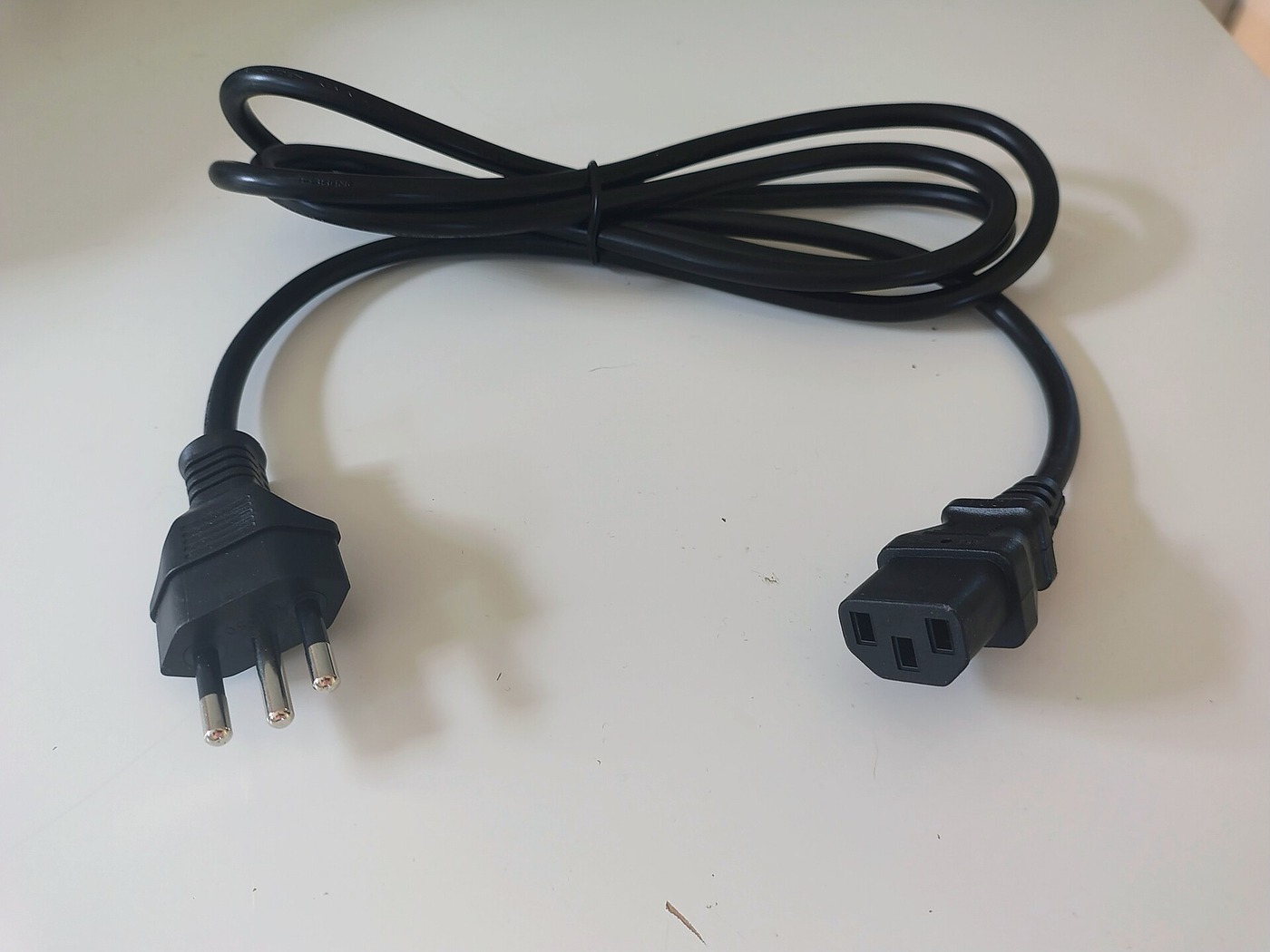
Disclosure: We may earn a commission if you purchase through links on this page, at no additional cost to you.
When a UPS has IEC C13 outlets and a server, switch, or other device has a C14 inlet, the usual jumper is a C14 male plug at the UPS end and a C13 female connector at the equipment end. That only solves the shape question. The cord still has to match the UPS outlet, device inlet, current and voltage limits, installation temperature, and destination-market requirements. A C13/C14 label by itself does not prove that every cord is interchangeable. Start with the labels on both powered devices and the existing cable, then select a cord whose complete assembly rating covers the load and the weakest point in the path.
Check the UPS end and equipment end separately
Connector names are easy to reverse because people describe the same lead as "C13 to C14" or "C14 to C13." Inspect the appliance rather than relying on the listing title. A C13 cord connector is the rectangular female end with three contacts; it mates with a C14 appliance inlet. A C14 plug is the three-pin male end; it mates with a C13 outlet on the UPS or PDU. For a common rack jumper, the C14 end goes into the UPS and the C13 end goes into the equipment.
Check both faces on the equipment. Some UPS models have C13 outputs; others use larger C19 outlets, while desktop units may use regional NEMA, Schuko, or other receptacles. C13/C14 cannot mate with C19/C20. If the UPS has a regional outlet, choose the correct source-end plug and preserve grounding; do not use an adapter that defeats it.
A C14 inlet is not a C16 inlet. C13/C14 connectors are rated for a 70 °C pin temperature; C15/C16 are designed for hotter equipment. Follow the appliance manual and never force the wrong pair.
Read the rating on the whole cord set
A connector rating is not the same as a rating for every cord bearing that connector. Interpower lists C13/C14 components at 10 A/250 V for international use and 15 A/250 V in North America, with the 70 °C temperature rating noted for the connector. Those are connector-level ratings that depend on the applicable approval context. The cord, plug, connector, appliance inlet, UPS outlet, and branch circuit all matter. The complete path is limited by the lowest applicable rating, not by the largest number in a product title.
For example, Eaton sells a 10 A, 250 V C13-to-C14 cord with H05VV-F cable for a rack installation, and separately lists a 15 A, 250 V, 14 AWG heavy-duty jumper. Those different products show why "C13 to C14" does not specify the conductor, cord length, or approved current on its own. Use the equipment manual and the cord's own printed markings; do not infer an amp rating from a photo or from the connector shape.
Find the maximum input current on the device nameplate or manual. If the load is a server with two power supplies, use the manufacturer's stated maximum input for each feed and the actual redundancy arrangement. Do not assume that two cords divide a load evenly, or that a UPS's VA rating is the current available at every outlet. The UPS manual may set a per-outlet limit, total output limit, or a different limit for a particular outlet group. Keep the cord rating at or above the required equipment and UPS ratings, and respect any lower circuit or connector limit.
If only watts appear, watts divided by nominal volts is not a guaranteed current for electronic loads because power factor, input range, and inrush matter. Check the device manual for maximum input current; if missing, obtain manufacturer guidance before ordering.
Use the table as a screening check
| Check | What to record | Where to verify |
|---|---|---|
| UPS end | C13 outlet, C19 outlet, or regional outlet | UPS rear panel and model manual |
| Equipment end | C14 inlet, C20 inlet, or other connector | Device inlet and nameplate |
| Electrical rating | Cord-set A/V; device maximum input; UPS outlet limit | Cord printing plus both equipment manuals |
| Construction | Cord type, conductor size, jacket and temperature rating | Exact SKU datasheet or cord marking |
| Fit | Length, angle, locking feature and grounding | Rack measurement and sample fit |
| Approval | Destination-market mark and traceable model or file | Issuing body directory or current certificate |
Keep the UPS manual and local electrical requirements in the decision: the table is a screening aid, not a substitute for either.
Match length and routing to the rack
Measure the cable route from the UPS outlet to the equipment inlet, including the path around rails and cable managers. Pick the shortest length that reaches without tension, a sharp bend, or pressure from a rack door. A cable that is too short can partly pull out of a C13 outlet; an overlong loop can obstruct airflow, become trapped, or make service work harder. The correct length depends on the installed rack, not on a generic claim that one size suits every cabinet.
Do not bundle a cable tightly against a hot exhaust or a device surface that exceeds its temperature rating. Route it so that airflow and equipment access remain clear. If the manufacturer specifies spacing, cable type, or a temperature condition, use that instruction. A longer lead is not automatically unsafe, but conductor size and the cord's approved rating must remain suitable for the load and local installation conditions.
Know when a locking or angled end helps
A standard moulded plug is adequate when the cord is protected from movement and its retention is reliable. In a dense rack, a compatible locking C13/C14 design can reduce the chance that routine cable movement disconnects a load. It is not a universal upgrade: locking mechanisms vary, may be available on only one end, and require a matching outlet or inlet feature. Confirm exactly which side locks and whether that exact UPS or device supports it. Do not rely on the word "V-Lock" in a listing title without a drawing or a sample check.
An angled C13 connector can help near a rear rail, but check its direction and clearance after installation. It must seat fully without the cable acting as a lever. Remove a loose or intermittent connection from service and check the cord and outlet; do not wedge the UPS against a wall to hold it in place.
Do not confuse a region rating with a label claim
C13/C14 geometry is used in cord sets with different national approval systems. Confirm the voltage and current rating and the documentation for the destination market. A 250 V marking does not identify the wall plug or prove that the complete cord set is approved for the installation.
For a commercial or critical load, request the exact part number, cord type, conductor size, current and voltage and temperature ratings, and a certification file for the shipped variant. UL says a Listed mark covers evaluated safety hazards for the intended use; a marketplace badge alone does not identify the evaluated model.
Treat "pure copper," current ratings, and certification marks as seller claims until tied to the exact cord variant and a traceable document. For listings with multiple options, ask for the selected SKU in writing and a photo of its cord and connector markings. Same end shape does not mean same specification.
Equipvia may earn a commission from qualifying purchases through this link. The link resolved to Product ID 1600820908204 during review. CPS resolution does not verify the seller's technical claims, the certification scope, affiliate eligibility, or commission attribution. Check the actual selected variant and current terms before ordering.
The listing's displayed minimum order makes it a bulk sourcing lead rather than a one-piece replacement offer. Its page does not establish whether the V-Lock feature is compatible with a particular UPS, the certification scope for the shipped length, or current price and availability. Request one sample, the exact production SKU, a photo of the cable markings, and the current certificate file for the intended destination.
Run a final fit check before installation
Before energising, compare the new cord with the approved specification and inspect the jacket, moulded ends, ground contact, and printed markings. Reject a cord with cracked insulation, exposed conductor, bent contacts, discolouration, or an end that does not seat fully. Disconnect equipment using the manufacturer's shutdown procedure; do not hot-swap a critical load unless the UPS and device manuals explicitly permit it.
With power off, verify the C14 plug fits the UPS C13 outlet and the C13 connector fits the device C14 inlet without force. Route the cord so no connector is under sideways tension. Restore power according to the equipment manuals and check the UPS display and device status. If the cord or connector warms unusually, smells, arcs, or produces intermittent power, de-energise safely and investigate the rating, contact condition, and outlet. A simple continuity check cannot prove current capacity or certification.
Questions buyers ask
Can a C14 plug go into a C13 outlet?
Yes. The C14 male plug is designed to mate with a C13 female outlet. For the common UPS-to-device jumper, the other end is a C13 female connector that mates with the device's C14 inlet. Confirm both ends on the actual equipment because UPS models also use C19 or regional outlets.
Are all C13-to-C14 cords the same?
No. Length, conductor size, jacket, voltage and current rating, temperature, locking design, regional approvals, and exact shipped variant can differ. Connector fit alone does not prove that a cord is suitable for the connected load.
Can I use a 15 A cord on a 10 A device?
Only if the full cord assembly, both connected devices, outlet, circuit, and local rules permit the combination. A cord with a higher rating does not increase the UPS's output limit. Do not use a cord marked 10 A where the equipment or installation requires a higher rating.
Will a C13 cord fit a C16 inlet?
No. C13/C14 is the lower-temperature connector pair; C15/C16 is shaped for a different temperature class. Use the connector type specified by the appliance manual. Never trim a key, force a connector, or defeat grounding to make a cord fit.
The purchase decision
Buy by the complete path, not by the phrase "C13 cable." First verify the UPS outlet and device inlet. Then take the required current from the equipment documentation, compare the full cord-set rating against the UPS and local circuit limits, and choose a length and retention style that work in the installed rack. For critical equipment, verify the certification for the exact model and keep a matching spare. If any one of those fields is missing, obtain the model-specific answer before plugging in a replacement.
Share this article