What a UPS Beep Means and What to Check First
Four beeps every 30 seconds on one brand is two beeps every 30 seconds on another. The cadence only becomes information when it is paired with the model, the indicator and the load.
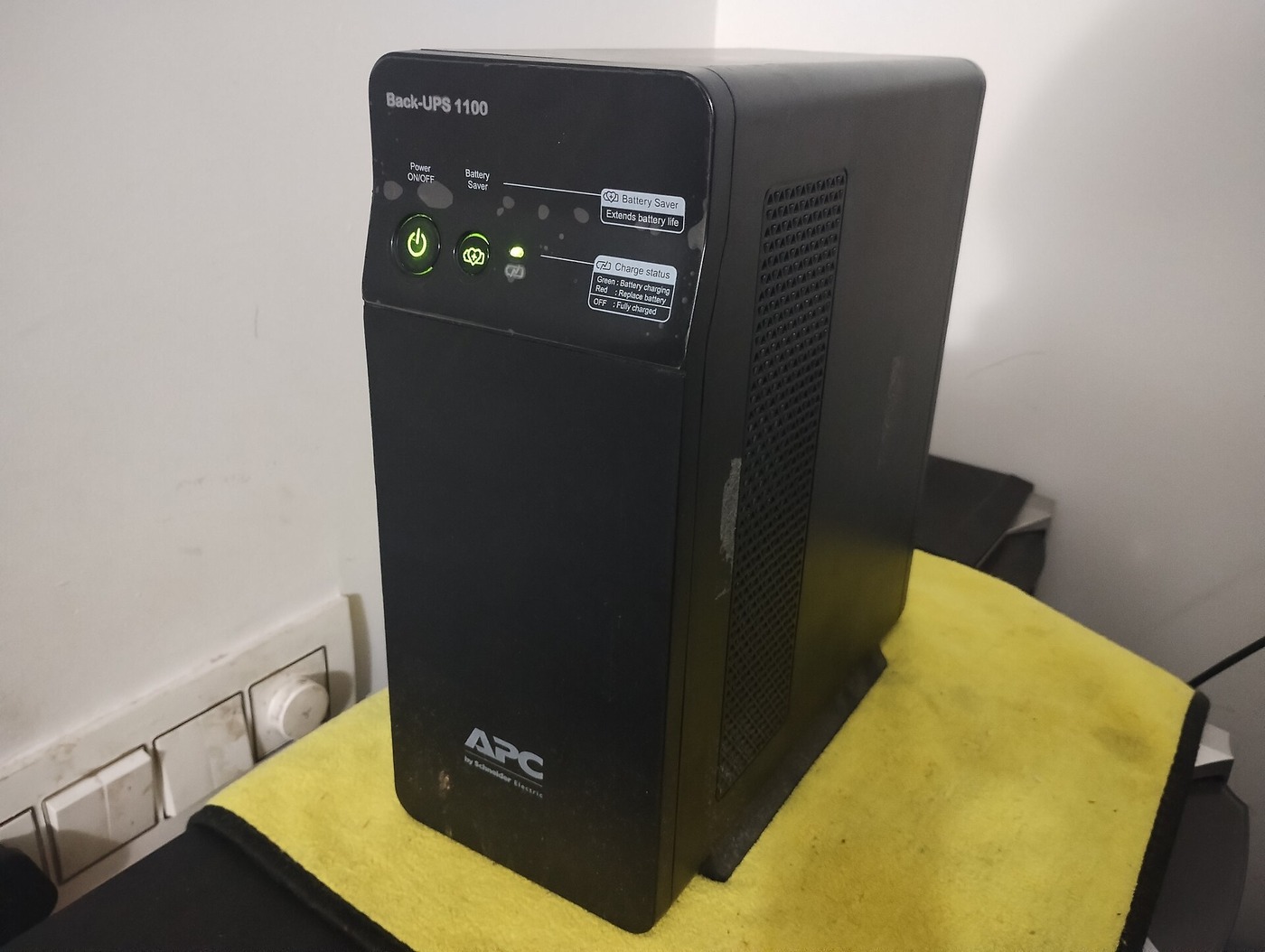
A UPS beep is an alert about a current operating state, not a universal fault code. A slow repeating pattern may mean the unit has transferred to battery power; rapid beeping may warn that the battery is nearly depleted; a steady tone can indicate overload. The same sound can mean different things on different models. Before muting it or ordering a battery, note the exact model, count the beeps, check the LEDs or screen, and see whether the protected equipment is still receiving power.
This guide helps identify the next safe check when a UPS starts beeping. It does not decode every model's alarm table. Use the beep pattern as a clue, then confirm it in the manual for the exact model. The examples below show why that model check matters.
First identify the UPS and the alarm state
Write down the brand and full model number from the rear or underside label. If the unit has an LCD, photograph the message or fault code before pressing a button. Record what the lights are doing, which outlets have lost power, whether the UPS is plugged into utility power, and whether the beeping began during an outage, after a self-test, or without an obvious event.
Then check the manual's "audible alarms," "status indicators," or "troubleshooting" section. Do not assume a code from another product in the same brand applies. Schneider Electric's Smart-UPS support page lists separate patterns for battery operation, overload, failed battery self-test, low battery, and a disconnected battery. APC Back-UPS references use other indicators and instructions. CyberPower says alarm patterns can vary by model. Eaton's manuals also describe cadence and status combinations that differ by UPS family. The model and the corresponding light or screen message are part of the alarm; the sound alone is incomplete evidence.
What common UPS sounds can indicate
One occasional beep. Some models make a single tone during normal operation or when they change state. APC notes that an occasional single beep can be normal on Back-UPS products. If the green status light is steady and the manual describes that tone as normal, it may need no action. If the sound repeats, is new, or occurs with a warning light, treat it as an alert and check the model-specific guide.
A repeating group of beeps. This often signals that the UPS is supplying power from its battery, but the interval is not standardised. Schneider Electric documents four beeps every 30 seconds for some Back-UPS and Smart-UPS conditions. CyberPower describes two beeps about every 30 seconds for some models; its FAQ gives a broader 15-to-45-second range. Eaton manuals show other cadences. If the "on battery" light is lit, the first question is why the UPS transferred: a utility outage, a loose input plug, a tripped breaker, or input power outside the unit's acceptable range may be involved.
Rapid beeping or a continuous warning tone. On many models this means the battery is close to empty and shutdown may be imminent. Save work and shut down connected equipment gracefully if you can. Do not spend the remaining battery time searching menus or repeatedly restarting the UPS. A steady continuous tone can also be an overload alarm or a fault, so check the overload indicator and LCD before deciding. CyberPower describes rapid beeping as a low-battery warning and a long continuous beep as a typical overload signal, while Schneider Electric gives its own model-specific indicators for low battery and overload.
A repeated chirp with a battery warning. A battery-disconnected alert, failed self-test, or replace-battery indicator is different from the ordinary "on battery" alarm. Check whether the UPS reports a missing battery, failed test, or replacement warning. A battery can be physically present but not connected to the UPS correctly; a self-test can also fail for reasons the manual identifies. Do not infer that a new battery is required from the sound alone. First follow the model's battery check and self-test procedure. Battery compatibility and replacement selection are a separate task; do not buy a generic battery based only on an alarm.
Clicking or a low hum. A relay click or transformer hum may accompany automatic voltage regulation on some UPS models. Schneider Electric describes clicking when Smart-UPS units switch AVR boost or trim to respond to input voltage that is too low or too high. A click is not the same as a sustained audible alarm. If it happens frequently, check the input voltage information and review the manual; if the UPS also beeps or shows a warning, investigate that status separately.
A slow beep does not tell you how much runtime is left
A repeating beep is an alert cadence, not a countdown. It may tell you that the UPS is on battery, but it does not state how many minutes remain. Runtime changes with the connected load, battery condition, and UPS model; some units pair the alarm with a low-battery light or a displayed runtime estimate, while others provide only a pattern. Treat any displayed estimate as an operating aid, not a guarantee. If the battery-level bars are falling or the low-battery indicator appears, shut down in priority order rather than timing the beeps and assuming the interval is fixed.
This is why a phrase such as "it beeps every 30 seconds" is not enough to diagnose a UPS. Schneider Electric documents four beeps every 30 seconds for certain APC lines, while CyberPower describes two beeps about every 30 seconds on some units. A user who applies one brand's code to another can mistake an ordinary battery-mode alarm for a fault or miss a more urgent warning. Match the full model and indicator combination before assigning meaning.
If the UPS is beeping while utility power seems normal
A lit room does not prove the UPS is receiving acceptable input power. Check the wall plug at both ends, the UPS input cord, and the building circuit breaker. If the manual permits it, test a known-working wall outlet without using an extension cord or power strip. Do not repeatedly unplug and reconnect a critical UPS while equipment is running; first shut down or move the connected load as the manual advises.
Some UPS models switch to battery when input voltage or frequency is outside their configured range, even if lights remain on. The UPS may be protecting the load from a brownout or unstable supply. APC's Back-UPS support notes transfers to battery when input voltage is considered unsafe for connected equipment. An AVR click, an on-battery LED, a displayed input-voltage reading, and the sound pattern together can help distinguish a power-quality event from a failed battery. Do not change voltage-sensitivity settings unless the manual explains the effect on connected equipment.
If the UPS repeatedly returns to battery while the wall outlet appears normal, note when it happens and whether other devices flicker. Try a different circuit only if you can safely do so and the equipment can tolerate interruption. Persistent wiring faults, a hot outlet, burning odour, crackling, or a building-wiring warning require stopping and contacting a qualified electrician or service provider. Do not open the UPS case to inspect mains wiring.
If the alarm points to overload
An overload warning means the connected load exceeds what the UPS can support in that operating state. A computer, monitor, network switch, printer, heater, or motor can have a startup demand that is higher than its usual running draw. Check the UPS's displayed load percentage or overload light and its VA and watt limits in the manual. The watt rating matters; a device's plug fitting the outlet does not show that the UPS can supply it.
If the manual identifies overload, turn off nonessential equipment and remove it from battery-backed outlets. Keep essential loads on the battery outlets and move low-priority devices only to surge-only outlets if the UPS provides them. Restart only according to the manufacturer's procedure. If the alarm clears, add equipment back one item at a time while watching the displayed load. Do not connect a second power strip or daisy-chain another UPS to create extra capacity. If the overload remains with the load disconnected, stop using the unit and contact service.
If the alarm points to low battery
A fast beep during a power failure is a time-critical warning. Save active work, shut down computers and network equipment in order of priority, and avoid using the battery for nonessential loads. The beeping may stop when utility power returns, when the battery is depleted, or when the unit is turned off; that behaviour depends on the model. Do not silence it and assume the equipment still has backup time.
If power has returned but a low-battery warning remains, check that the UPS has been charging for the duration stated in its manual. A deeply discharged or ageing battery may need time to recharge before the UPS can report normal status. For example, an APC Back-UPS model guide instructs users with inadequate runtime to leave the unit connected to utility power for 16 hours before retesting; that interval is model-specific, not a universal charging rule. Eaton manuals give different instructions for their own products. Use your model's stated interval rather than borrowing one from a similar-looking UPS.
After the specified charge, run the battery self-test if the manual permits it. Note the exact result. If the test fails again, the battery indicator remains, or runtime collapses quickly under a normal load, consult the manufacturer's service path. A failed test can point to a battery problem, but a charger or UPS fault may also require service. Once the model's required part is known, matching the replacement battery is a separate exercise with its own checks.
Record the alarm before you mute it
Muting can be appropriate after you understand the warning and have taken the action the manual calls for. It is not the first diagnostic step. Some UPS alarms automatically return when a new condition occurs, and muting options differ by model. Schneider Electric's video for APC Back-UPS Pro shows the control sequence for listed model families; those button steps should not be copied to another product.
Before silencing an alarm, record the model, sound pattern, display message, LED state, load percentage, input condition, and what changed just before it started. If you contact support, this information is more useful than "it keeps beeping." Include whether the protected devices lost power, whether the battery indicator was on, and whether the condition stopped after utility power returned.
When it is safe to mute the sound
Mute the alarm only after you have checked the status and taken any required action. If the UPS is running on battery, muting does not restore utility power or add runtime. If it reports overload, muting does not reduce the load. If the battery indicator shows a fault, silencing the buzzer does not prove the backup function is available. Some models allow temporary muting for a known event; others let users change alarm settings through a front button or management software. The menu path is model-specific, and a setting that disables routine beeps can make the next outage or low-battery condition easier to miss.
If the noise is disruptive after you have confirmed the state, consult the manual's mute instructions and note how to re-enable the alert. Keep an alternative way to monitor the UPS, such as its visible status panel or supported management software, if the equipment is unattended. Do not unplug the buzzer, open the case, or change internal wiring. If the same alarm returns after you clear it, read the displayed status and investigate the cause rather than repeating the mute command. Schneider Electric's Back-UPS Pro video shows a specific front-panel mute procedure; it is not a universal step for APC products, let alone other brands.
A quick decision path
- If the UPS is on battery and the alarm is slow and periodic, save work and check the input cord, outlet, breaker, and displayed input status.
- If the alarm becomes rapid or continuous while on battery, treat it as an urgent low-battery warning and shut down nonessential equipment.
- If the overload light or load percentage is high, reduce the connected load using the manual's procedure.
- If the battery or replace-battery indicator appears, check the connection and perform the documented self-test before choosing a replacement.
- If there is a fault code, burning smell, excess heat, damaged case, or repeated unexplained alarm, stop and seek qualified service.
The practical rule is simple: read the sound together with the model-specific manual and the visual status. Similar tones may share a broad purpose, but their cadence, urgency, and reset steps vary. Diagnose the state first, preserve battery runtime if it is low, and silence the alarm only after the UPS is in a safe condition.
Share this article