Can One Mini UPS Power a Router and ONT With a Splitter?
A splitter is a passive parallel connection, not a second supply. It does not divide the load evenly, isolate one device from the other, or raise the UPS output rating.
Disclosure: We may earn a commission if you purchase through links on this page, at no additional cost to you.
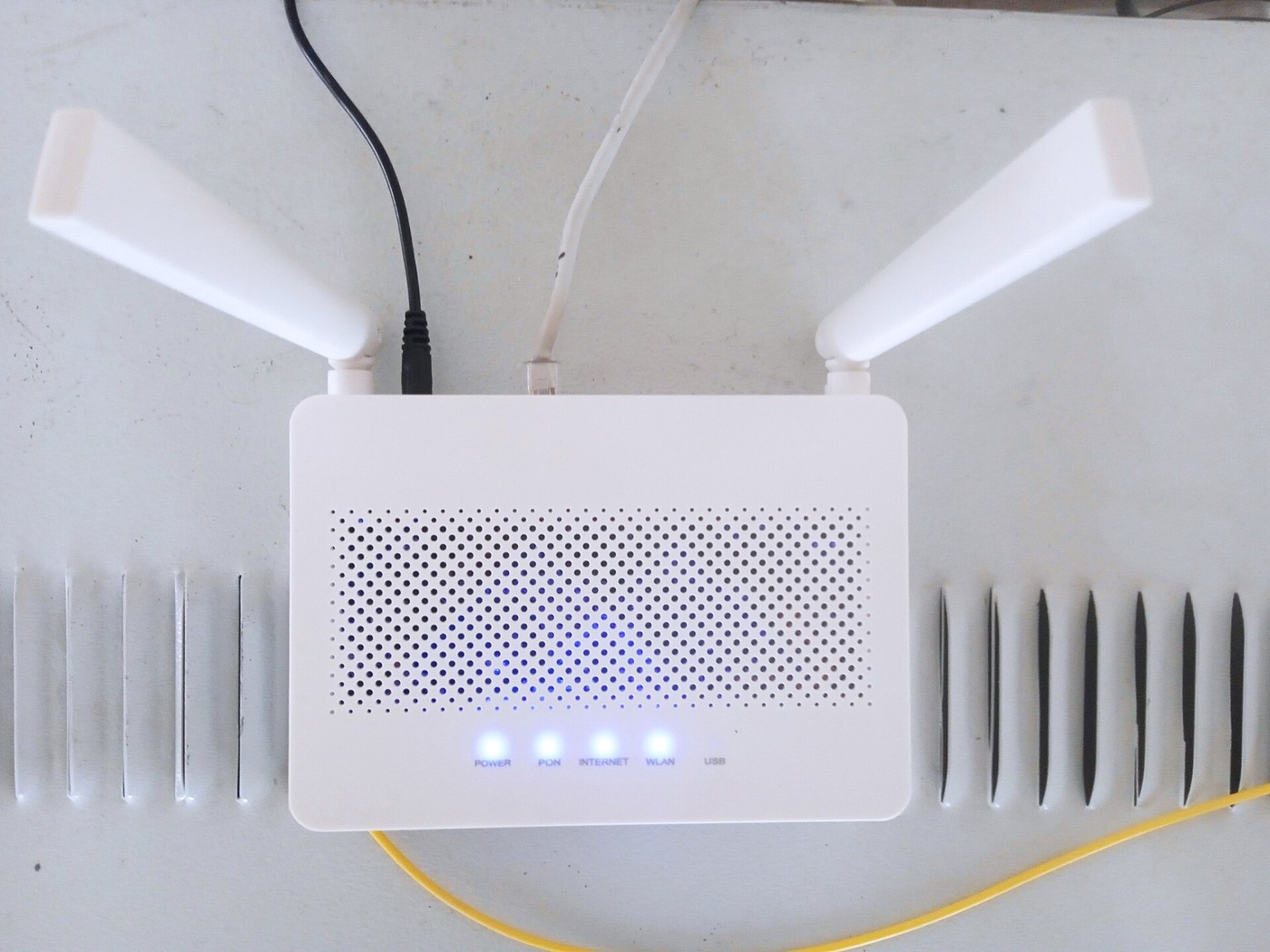
Sometimes the UPS has one 12 V socket, while the router and fibre ONT each have their own 12 V adapter. A DC Y splitter can connect both devices to that one output, but the fact that both plugs fit does not prove the setup is safe or stable. The UPS port, splitter trunk, branch wires, connectors, and both devices form one shared circuit. Every part has to carry the combined demand, and both devices must accept the same voltage and polarity.
A splitter is appropriate only when the UPS maker permits multi-device loading from that port, the two loads are electrically compatible, and their combined demand stays within the lowest applicable current or power limit. If any one of those conditions is unknown, use a UPS with separately rated outputs or keep each device on its own supported output. Do not treat the Y cable as a voltage converter, power booster, or isolator.
What the Y cable changes and what it does not
A DC splitter is a passive parallel connection: one input divides into two branches. Both branches see the same source voltage, subject to cable and contact losses. The splitter does not create a second regulated 12 V supply. It does not divide the UPS capacity into a guaranteed 50/50 share, and it does not prevent one device from affecting the voltage available to the other. The router and ONT draw current according to their own operating states; their currents add on the common section of the cable and at the UPS output.
That common section is the detail people often miss. A 12 V, 1.5 A router and a 12 V, 0.5 A ONT could demand up to 2 A together if those are genuine maximum input requirements. The shared trunk must carry the sum; each branch carries its own load. Those numbers are an example, not a claim about typical equipment. Read the labels on the actual devices and UPS. An adapter marked 12 V, 2 A indicates the adapter's rated output capability, not necessarily the device's continuous draw, but it is a conservative starting point when the equipment maker does not publish input consumption.
Some UPS makers bundle a Y cable and specify which ports or device combinations it supports. Others explicitly prohibit splitters on a single output. For one model-specific example, a router UPS manual distributed for a particular product says not to use DC splitter cables to connect more than one device; that instruction applies to that unit, not to every mini UPS. Follow the manual for the exact model and revision before doing the arithmetic.
Read the three labels before buying a cable
Start with the router and ONT input labels, then the mini UPS output label or manual. Record voltage, current or watts, polarity, and connector dimensions for each device. Do not rely on the original AC adapter's input side; the relevant information is the DC output rating that feeds the router or ONT. If a device label lists a range, use the manufacturer's documentation to understand the allowed operating range rather than assuming that the UPS's nearest setting is acceptable.
Next, read the UPS output rating at the exact selected voltage. A label may show a maximum current per socket, a total wattage shared among sockets, or both. A model advertised as "18 W" does not automatically provide 18 W at every output at once. The output table and any footnotes determine whether the rating is per port or shared. A multi-voltage selector also matters: both splitter branches receive the selected voltage, so the cable cannot simultaneously provide 9 V to one device and 12 V to the other. If the two devices require different voltages, a single-output splitter is the wrong topology.
Check the manual for a specific dual-device diagram, a supported splitter accessory, or a statement limiting one device per port. If the documentation gives only a total current rating and no per-port rule, ask the manufacturer whether the selected port supports a parallel load. Do not infer that two sockets are independent just because they are physically separate; they may share an internal current limit or battery converter. Conversely, do not assume one output is forbidden from feeding two loads if the maker designed and rated it for that use.
Add the loads and compare every limit
When both devices have the same rated voltage, add their current requirements for a first-pass check:
Router current + ONT current = estimated combined current
At a common 12 V, a router marked 12 V, 1 A and an ONT marked 12 V, 0.5 A give a label-based sum of 1.5 A, or 18 W using P = V × I. This calculation is only a screening estimate. The actual draw changes with traffic, Wi-Fi activity, optical link state, attached phones or USB devices, and startup behaviour. Do not subtract an assumed "average" from the adapter ratings to make a marginal UPS appear adequate.
Now compare the sum with each of these ceilings: the UPS output at the selected voltage; any total output limit shared across ports; the splitter's input or trunk rating; each splitter branch rating; and the connector rating if one is specified. Use the lowest documented limit. A splitter listing may show a 5 A input trunk and 2 A output branches, as DFRobot does for one 5.5 × 2.1 mm cable. That example is not a general rating for other Y cables, nor does it mean the mini UPS can deliver 5 A.
Leave sensible headroom when the manufacturer provides no detailed transient data. Router and ONT startup can occur together when power returns, and a device may briefly draw more than its steady operating level. If the computed sum sits at the UPS's stated maximum, or the output rating is unclear, choose separate outputs or a higher-rated UPS rather than relying on a trial during an outage. Never put two power supplies in parallel through a Y cable; this article concerns one UPS output feeding two compatible loads.
Match the connector and polarity, not just the voltage
A common barrel size is 5.5 mm outside diameter by 2.1 mm inside diameter, but 5.5 × 2.5 mm versions also exist. They can look nearly identical, yet a mismatched inner diameter may feel loose, fail to make reliable contact, or not fit at all. Delock's model 83286 is one example of a splitter with one 5.5 × 2.1 mm female input and two 5.5 × 2.1 mm male outputs; those dimensions describe that model only. Measure or verify each device's connector from its manual or manufacturer drawing.
Confirm the end arrangement as well as size. A typical barrel splitter has a female socket on the trunk that accepts a male UPS lead, then male plugs that enter the router and ONT. Some UPS kits use a different gender layout or include short male-to-male bridge leads. Compare the cable ends with the UPS lead and each device's power jack before ordering; product photos alone can hide a gender mismatch.
Polarity is a separate check. Many small networking devices use centre-positive barrel connectors, but that convention is not a substitute for checking the polarity symbol on both labels. A passive Y cable copies the source polarity to both branches; it cannot reverse or correct one branch independently. If one device requires centre-negative, a different voltage, a proprietary connector, or a regulated adapter stage, do not connect it directly to the same Y cable. Ask the device maker or use the exact approved adapter arrangement.
A cable rating belongs to one exact cable
Do not select a splitter from the words "12 V" or "for router" alone. Request the conductor gauge or cross-section, conductor material, branch and trunk current limits, cable length, connector dimensions, polarity, and the test basis for the current rating. A cable marked 20 AWG on the trunk and 24 AWG on its branches is not automatically rated to the trunk's current on every branch. Delock specifies 20 AWG for the input side and 24 AWG for the outputs of its 83286; DFRobot separately states a 5 A trunk and 2 A branches for its own design. Those specifications are product-specific and cannot be transferred to a visually similar marketplace listing.
Longer, thinner cable and poor contacts increase voltage drop. For a simple field check, measure voltage at the UPS output and at each device input while both are operating, preferably with a suitable inline meter or a technician's test setup. A large difference, warm connector, intermittent reboot, or changing plug fit is a reason to stop and investigate. Do not probe exposed conductors with a metal tool while powered. If the device manual specifies an input range, judge the measured voltage against that range; if it gives no range, seek the manufacturer's limit rather than inventing one.
Treat marketplace claims as claims for the exact selected variant. Ask the seller to confirm the selected SKU in a drawing or photo, then state branch and trunk current limits, cable length, polarity and conductor gauge. "Copper wire" or "12 V compatible" alone is not a current rating.
Test the complete setup before relying on it
First verify the router and ONT work normally on their original supplies and note the indicator lights. Charge the mini UPS fully according to its own manual. With mains power present, connect the UPS and splitter as its manufacturer shows, then connect one device at a time. Confirm that the UPS is set to the correct voltage before attaching either device. Only then connect the second branch. If the UPS manual says one device per output, stop there; a successful brief test does not override the restriction.
Check that both devices start, remain online, and show their normal status. A router's Wi-Fi light only confirms the local radio; it does not prove the ONT has optical link or that the ISP network remains available. Confirm the ONT's optical or PON status and test an internet connection from a client device. Some providers may lose service during a neighbourhood power failure because upstream equipment also needs power, even when both devices in the home stay on.
Then test the handoff to battery in a controlled setting: keep the UPS charged, observe both devices, and disconnect only the UPS's AC input if its manual permits this test. Do not unplug the DC output while equipment is running. Watch for a reset, loss of optical link, warning indicator, or the UPS shutting down. Restore AC input and confirm charging resumes. Repeat once after a normal recharge if you need confidence in the installation, but do not use repeated deep discharge as a routine test. Record the load, exact cable, UPS model and output setting, and test duration. A household test can confirm this particular combination under observed conditions; it does not certify the cable rating or guarantee runtime for another network state.
When separate outputs are the better answer
Use separate UPS outputs when the router and ONT need different voltages, when the manual assigns a device to each port, when combined current approaches a shared output ceiling, or when the splitter's branch rating cannot be verified. Separate outputs also make troubleshooting easier: if one device drops, you can identify whether the problem follows the port, cable, or device without the other load changing the shared circuit.
If both devices use the same voltage but need more current than one port can supply, a splitter will not solve it. Choose a unit with enough current at that voltage and check whether the rating is per output or shared. If one device uses 9 V and the other 12 V, choose a UPS with separately regulated 9 V and 12 V outputs that are rated for those loads, or use two separately approved supplies backed by an AC UPS. Do not attempt to create two voltage rails by combining outputs or by inserting an unverified adapter.
Equipvia may earn a commission from qualifying purchases through this link. The link resolved to Product ID 1600618245729 during review. CPS resolution does not verify the seller's technical claims, the cable's current limits, affiliate eligibility, or commission attribution. Check the actual selected variant and current terms before ordering.
The listing's supplier age and store rating are marketplace display fields. Branch continuous-current rating and polarity are not stated, and the CE reference is listing-level only. Confirm the selected SKU in writing before relying on the cable.
Frequently asked questions
Can I connect a 9 V ONT and a 12 V router to one 12 V splitter?
No. Both branches receive the same selected source voltage. Use separately regulated outputs that match each device's required voltage, or a manufacturer-approved solution for the exact devices.
Can I use a splitter marked 5 A with any mini UPS?
No. That is a claim for that cable and may describe only its input trunk. The UPS may have a lower output rating, and branch leads or connectors may have lower limits. Compare every documented limit and use the lowest one.
What if both devices stay on but the internet still fails?
Check the ONT status and the ISP's outage information. A splitter only distributes DC power inside the premises; it cannot keep a neighbourhood cabinet or provider network powered. If the ONT has lost optical signal, contact the provider rather than changing the DC cable.
Use a splitter only when the manual, labels, cable rating and battery test agree.
Share this article